วันอังคารที่ 27 มกราคม พ.ศ. 2569

On going Project....

         กำลังลองเขียน ออกแบบโปรแกรมจัดการคลินิกเวชกรรมที่เป็น Web based application ด้วย Apache,
PHP และ PostgreSQL อยู่ ที่ผ่านมาก็ได้แค่ลองลงระบบปฏิบัติการเรื่อยมา ไม่มีงานเป็นชิ้นเป็นอัน ตอนนี้
งานประจำก็อยู่ตัวแล้วจะลองเขียนเอามาใช้งานจริง ๆ สักที


ใช้ PgAdmin เป็น Tool ในการเขียนก็สะดวกดี

        บล็อคนี้ก็จะบันทึกงานที่ทำยามว่างไว้กันลืมอย่างนี้ไปเรื่อย ๆ

วันพฤหัสบดีที่ 10 ธันวาคม พ.ศ. 2563

Enable PHP usage in user public_html in Ubuntu 20.04.1

  Add the following in /etc/apache2/apache2.conf post enable PHP script


#Add user directory for php usage

<IfModule mod_userdir.c>

        <Directory /home/*/public_html>

            php_admin_value engine On

        </Directory>

</IfModule>


วันเสาร์ที่ 31 ตุลาคม พ.ศ. 2563

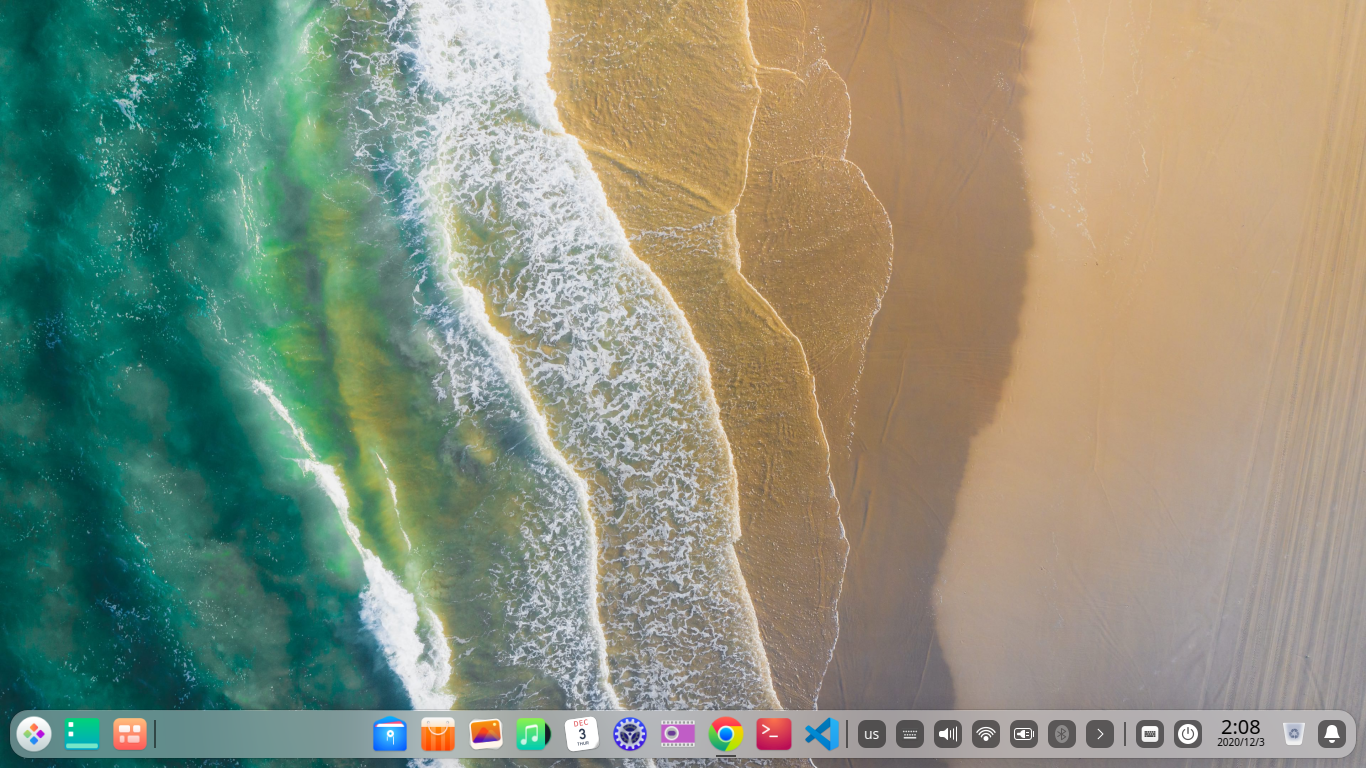
Ubuntu 20.04.1 สวย ๆ

 สวย ๆ กะแต่งหนัก ๆ เน้น Image Processing, Computer Vision, Machine Learning กะขุดความรู้จาก Python โพสโค้ดให้ Github ทำตัวเป็น Youtuber ช่อง LinuxSiam


วันเสาร์ที่ 26 กันยายน พ.ศ. 2563

แต่ง Debian 10.4.1 ให้มีหน้าตาคล้าย MAC OS


Configuration of Wireless network adapter bmc43142 on Acer-Aspire-E5-411

 How to install proprietary Broadcom wireless card driver to connect to the Internet through Wi-Fi in Debian

Supported Broadcom wireless network cards: BCM4311-, BCM4312-, BCM4313-, BCM4321-, BCM4322-, BCM43142-, BCM43224-, BCM43225-, BCM43227-, BCM43228-, BCM4331-, BCM4360-, and BCM4352- Please support my work on https://www.patreon.com/neoncipher lspci -nn | grep Network sudo apt-get install wireless-tools sudo apt-get install network-manager-gnome sudo apt-get install wpasupplicant sudo nano /etc/apt/sources.list #Add main contrib non-free in the end of the repository
main contrib non-free sudo apt-get update sudo apt-get dist-upgrade reboot the computer sudo apt-get install linux-image-$(uname -r|sed 's,[^-]*-[^-]*-,,') linux-headers-$(uname -r|sed 's,[^-]*-[^-]*-,,') broadcom-sta-dkms sudo modprobe -r b44 b43 b43legacy ssb brcmsmac bcma sudo modprobe wl If you get frequent disconnections, it can be fixed with this command: iwconfig wlan0 power off

วันศุกร์ที่ 18 กันยายน พ.ศ. 2563

Configuration of Acer Aspire E14 Wireless Land Card on Ububuntu

lthough I have read some questions that suggest it is troublesome, I have not yet read any report that says it absolutely will not work. It is easy enough to find out. Install the driver and see!

With a working internet connection by ethernet, tethered or whatever means possible, open a terminal and do:

sudo apt-get update
sudo apt-get install bcmwl-kernel-source

The installation of the driver does the required blacklisting for you. However, if you wanted to undertake it manually, I suggest:

sudo gedit /etc/modprobe.d/blacklist.conf

Use nano or kate or leafpad if you don't have the text editor gedit. Add the following lines at the very end to the existing text:

blacklist b43
blacklist bcma
blacklist ssb

Proofread carefully, save and close the text editor. Reboot and tell us if the wireless is working.


Credit : https://askubuntu.com/questions/765584/is-it-possible-to-use-broadcom-bcm43142-wifi-in-ubuntu-16-04

วันพฤหัสบดีที่ 13 ธันวาคม พ.ศ. 2561

Debian 9.6 Servers

        ใช้กันไม่รู้จักเบื่อเลยสำหรับ Debian ที่กำลังรีวิวคร่าว ๆ นี้เป็น Debian 9.6.0 รีวิวตอนต้นเดือนธันวาคม 2561 เหมือนเดิมครับ Multiservers ที่ติดตั้งไปมี Apache2, PHP7, PostgreSQL, MySQL, จัดการฐานข้อมูลผ่านทาง PhppgAdmin, PgAdmin3 และ PhpMyAdmin ตามลำดับ  ไปยลโฉมกันเลย

 ธีมก็ยังสีเหมือนเดิม

หน้าตา GNOME Desktop

รูปร่าง หน้าตาของ Applications ที่ติดตั้ง

 รูปร่าง หน้าตาของ Applications ที่ติดตั้ง

 รูปร่าง หน้าตาของ Applications ที่ติดตั้ง

หน้าตาเว็บเมื่ออ่านด้วย FireFox Browser

Specification ของ NoteBook ที่ติดตั้ง


Specification ของ NoteBook ที่ติดตั้ง

Specification ของ NoteBook ที่ติดตั้ง

รูปร่าง หน้าตาของเว็บที่รับด้วย Apache, PHP, PostgreSQL, Drapal
เมื่อเรียกดูจาก Acer Aspire E14 อีกตัวหนึ่ง

Ports ที่เปิดเมื่อดูด้วยตัว Server พบว่าเปิด 3 Ports คือ Apache,
MySQL และ PostgreSQL

เมื่อ Ports Scan จาก Client จะพบว่าเปิดเพียง Apache เพียง Port เดียว


        สำหรับ NoteBook ครื่องนี้เป็น Acer Aspire One ตัวเล็ก ยังเป็น i386 32 bits อยู่เลย แต่ก็ไม่ผิดหวังครับสามารถรัน GNOME Desktop ได้  โดยไม่ช้ามากนัก เหมาะสำหรับฝึกคอนฟิก ซ้อมมือให้เหมือนกับ Server จริง ๆ ได้ดีเลยทีเดียว

วันพุธที่ 12 ธันวาคม พ.ศ. 2561

CentOS 7, Apache, PHP and PostgreSQL Web

ติดตั้ง CentOS มานานไม่เคยคอนฟิก CentOS 7, Apache, PHP and PostgreSQL Web ผ่านสักที  ครั้งนี้เป็นครั้งแรก เลยอยากบัทึกไว้กันลืมสักหน่อย

       ดูหน้าตา CentOS 7 กันสักหน่อย

หน้าตาของ GNOME Default desktop


GNOME Menu

ติดตั้ง PhpSysinfo เพื่อศึกษาระบบคอมพิวเตอร์ทั้งหมด

Drupal Dynamic Web ดตั้งผ่าน Apache, PHP
PostgreSQL


       ตัวอย่างไฟล์ /var/lib/pgsql/data/pg_hba.conf ที่สามารถใช้งาน PostgreSQL Server ได้


# TYPE  DATABASE        USER            ADDRESS                 METHOD

# "local" is for Unix domain socket connections only


local   all             all                                            peer

# IPv4 local connections:

host    all             all             127.0.0.1/32            md5

# IPv6 local connections:

host    all             all             ::1/128                    md5


วันพฤหัสบดีที่ 29 มิถุนายน พ.ศ. 2560

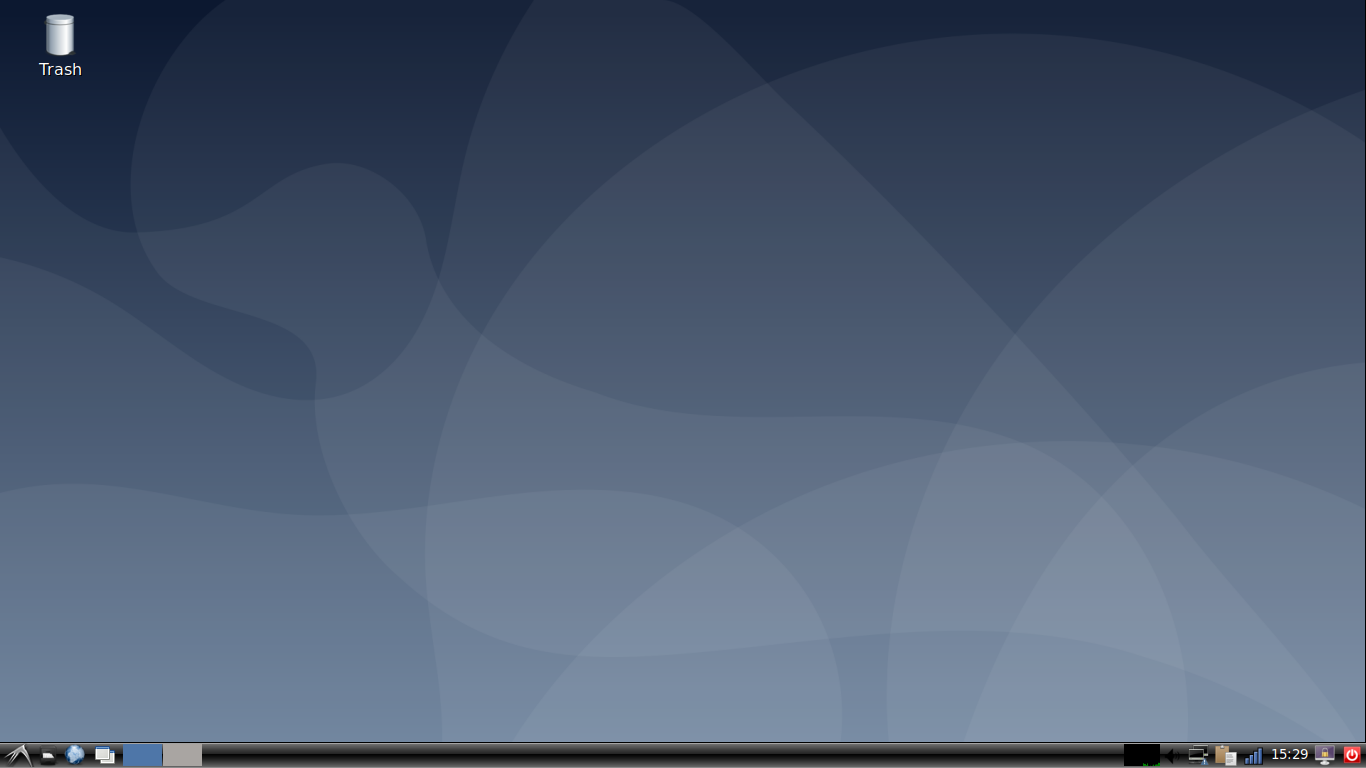
หน้าตา Debian 9.0

        เมื่อคืนที่ผ่านมามีโอกาสทดลองใช้งาน Debian 9.0 ที่เพิ่ง Released ออกมาเมื่อ 12 วันก่อน หน้าตาสวยงาม ไม่เลวเลยทีเดียว สวยแบบเนียน ๆ ตามสไตล์ Debian หลังจากติดตั้งต้องติดตั้งภาษาไทยอีกเล็กน้อยจึงจะสามารถใช้งานภาษาไทยได้


วันอังคารที่ 27 มิถุนายน พ.ศ. 2560

Debian 9.0 is released!

        ไม่ได้เข้าไปเว็บไซต์ debian.org เกือบเดือนหนึ่งปรากฏว่า Debian ได้ออกดิสทริบิวชั่นใหม่ออกมาเรียบร้อย  ว่าจะเขียนหนังสือรวบรวมประสบการณ์การใช้งาน Debian ซะหน่อยก็มัวแต่ผลัดวันประกันพรุ่งจนมาถึงิสทริบิวชั่น 9.0 ไปแล้ว
        สำหรับดิสทริบิวชั่นใหม่มีรายละเอียดที่น่าสนใจ ดังนี้

Debian 9 Stretch released

June 17th, 2017
After 26 months of development the Debian project is proud to present its new stable version 9 (code name Stretch), which will be supported for the next 5 years thanks to the combined work of the Debian Security team and of the Debian Long Term Support team.
Debian 9 is dedicated to the project's founder Ian Murdock, who passed away on 28 December 2015.
In Stretch, the default MySQL variant is now MariaDB. The replacement of packages for MySQL 5.5 or 5.6 by the MariaDB 10.1 variant will happen automatically upon upgrade.
Firefox and Thunderbird return to Debian with the release of Stretch, and replace their debranded versions Iceweasel and Icedove, which were present in the archive for more than 10 years.
Thanks to the Reproducible Builds project, over 90% of the source packages included in Debian 9 will build bit-for-bit identical binary packages. This is an important verification feature which protects users from malicious attempts to tamper with compilers and build networks. Future Debian releases will include tools and metadata so that end-users can validate the provenance of packages within the archive.
Administrators and those in security-sensitive environments can be comforted in the knowledge that the X display system no longer requires root privileges to run.
The Stretch release is the first version of Debian to feature the modern branch of GnuPG in the gnupg package. This brings with it elliptic curve cryptography, better defaults, a more modular architecture, and improved smartcard support. We will continue to supply the classic branch of GnuPG as gnupg1 for people who need it, but it is now deprecated.
Debug packages are easier to obtain and use in Debian 9 Stretch. A new dbg-sym repository can be added to the APT source list to provide debug symbols automatically for many packages.
The UEFI (Unified Extensible Firmware Interface) support first introduced in Wheezy continues to be greatly improved in Stretch, and also supports installing on 32-bit UEFI firmware with a 64-bit kernel. The Debian live images now include support for UEFI booting as a new feature, too.
This release includes numerous updated software packages, such as:
  • Apache 2.4.25
  • Asterisk 13.14.1
  • Chromium 59.0.3071.86
  • Firefox 45.9 (in the firefox-esr package)
  • GIMP 2.8.18
  • an updated version of the GNOME desktop environment 3.22
  • GNU Compiler Collection 6.3
  • GnuPG 2.1
  • Golang 1.7
  • KDE Frameworks 5.28, KDE Plasma 5.8, and KDE Applications 16.08 and 16.04 for PIM components
  • LibreOffice 5.2
  • Linux 4.9
  • MariaDB 10.1
  • MATE 1.16
  • OpenJDK 8
  • Perl 5.24
  • PHP 7.0
  • PostgreSQL 9.6
  • Python 2.7.13 and 3.5.3
  • Ruby 2.3
  • Samba 4.5
  • systemd 232
  • Thunderbird 45.8
  • Tomcat 8.5
  • Xen Hypervisor
  • the Xfce 4.12 desktop environment
  • more than 51,000 other ready-to-use software packages, built from a bit more of 25,000 source packages.
With this broad selection of packages and its traditional wide architecture support, Debian once again stays true to its goal of being the universal operating system. It is suitable for many different use cases: from desktop systems to netbooks; from development servers to cluster systems; and for database, web, or storage servers. At the same time, additional quality assurance efforts like automatic installation and upgrade tests for all packages in Debian's archive ensure that Stretch fulfills the high expectations that users have of a stable Debian release.
A total of ten architectures are supported: 64-bit PC / Intel EM64T / x86-64 (amd64), 32-bit PC / Intel IA-32 (i386), 64-bit little-endian Motorola/IBM PowerPC (ppc64el), 64-bit IBM S/390 (s390x), for ARM, armel and armhf for older and more recent 32-bit hardware, plus arm64 for the 64-bit AArch64 architecture, and for MIPS, in addition to the two 32-bit mips (big-endian) and mipsel (little-endian), there is a new mips64el architecture for 64-bit little-endian hardware. Support for 32-bit Motorola/IBM PowerPC (powerpc) has been removed in Stretch.
ที่มา  http://distrowatch.com/weekly.php?issue=20170626#debian

       ขณะที่เขียนกำลังดาวน์โหลด image file อยู่  บ่าย ๆ คงได้ทดลองใช้งาน

วันจันทร์ที่ 26 มิถุนายน พ.ศ. 2560

Welcome Back!

       ไม่ได้อัพเดทเว็บมา 2 ปี วันนี้คุยไลน์กับนักเรียนที่เคยสอนเมื่อ 12 ปีที่แล้ว ทำงานเป็น Administrator บน Linux/Unix OS หลาย ๆ แพลทฟอร์มและกำลังไปสอบ RedHat Certificate เร็ว ๆ นี้ ก็เลยโหลดหมวกแดงที่ว่ามาทบทวนความจำอีกที เผื่อไปสอบกับเขามั่ง


        ว่าง ๆ คงได้อัพเดทเว็บอีกรอบ

วันอังคารที่ 20 มกราคม พ.ศ. 2558

Config Apache web server ให้ผู้ใช้งานทั่วไปใช้งานภาษา Perl, Php และ Python

        ในบทความก่อนผู้เขียนได้กล่าวถึงการคอนฟิก Apache web server ให้ผู้ใช้งานทั่วไปที่ไม่ใช่
root ใช้งานการเขียนเว็บและและสร้างเว็บไซต์ด้วยภาษา HTML ได้  ดังที่ทราบกันดีว่าภาษา
HTML มีข้อจำกัดในการใช้งาน คือ เป็นการสื่อสารทางเดียวระหว่าง server กลับ client ไม่สามารถ
ประมวลผล คำนวณเปรียบเทียบข้อมูลได้
        ในบทความนี้ผู้เขียนจะกล่าวถึงการคอนฟิก Apache web server เพื่อให้ผู้ใช้งานทั่วไปที่ไม่ใช่
root ใช้งานภาษา Perl, Php ละภาษา Python เพื่อใช้ในการติดต่อสื่อสารระหว่าง web server และ
Database server และเพื่อการประมวลผล การจำเว็บเพจที่เป็นการสื่อสารสองทาง (Dynamic web)

วันอาทิตย์ที่ 18 มกราคม พ.ศ. 2558

Config Apache Web server เพื่อให้ผู้ใช้งานเครือข่ายใช้งานภาษา HTML

        หลังที่เราติดตั้ง Web server บน Debian 7.8 GNU/Linux แล้ว  จะมีเพียงผู้บริหารระบบ (root)
คนเดียวเท่านั้นที่สามารถเขียนเว็บลงบน server ได้  ส่วนผู้ใช้งานระบบทั่วไป (users) ยังไม่สามารถ
ใช้งานในการเขียนเว็บเพจลงบน server ได้  ทั้งนี้เพื่อความปลอดภัยของระบบนั่นเอง
        ดังที่กล่าวมาข้างต้นในบทความก่อน ๆ ว่าจุดมุ่งหมายในการติดตั้งระบบปฏิบัติการ Debian
7.8 GNU/Linux ของผู้เขียน คือ การใช้ทรัพยากรร่วมกัน ใช้งานฮาร์ดแวร์ให้เกิดประโยชน์สูงสุด
ใช้ซอฟท์แวร์ร่วมกัน เพียงติดตั้งกันครั้งเดียวก็สามารถจัดสรรค์ให้ผู้ใช้งานระบบได้ใช้กันอย่าง
ทั่งถึง  การติดตั้ง Apache web server ที่เป็นค่าเริ่มต้น root จะสามารถใช้งานเพื่อเขียนเว็บเพจไว้
ที่ไดเรคทอรี /var/www  หลังการติดตั้งจะมีไฟล์ภาษา HTML  เพียงไฟล์เดียว คือ index.html เรียก
ใช้งานผ่านบราวเซอร์ได้ที่ url  http://localhost หรือ http://127.0.0.1 หรือ http://ip adress  ที่ท่านกำหนด
 ดังตัวอย่างในภาพ


        การกำหนดให้ผู้ใช้งานทั่วไปให้ใช้งาน Apache 2 Web Server
            
การกำหนดให้ผู้ใช้งาน Apache 2 สามารถใช้งานภาษา HTML ได้ ทำได้โดยเปิดใช้คอนฟิกไฟล์
2 ไฟล์โดย root ดังนี้

submarine@Debian78:~$ su
Password: 
root@Debian78:/home/submarine# 
เปลี่ยนไปใช้ไดเรกทอรีที่ต้องการเชื่อมโยงคำสั่ง

root@Debian78:/home/submarine# cd /etc/apache2/mods-enabled
root@Debian78:/etc/apache2/mods-enabled# 

สั่งเปิดใช้งานคอนฟิกไฟล์ 2 ไฟล์ ดังนี้

root@Debian78:/etc/apache2/mods-enabled# ln -s ../mods-available/userdir.conf userdir.conf

root@Debian78:/etc/apache2/mods-enabled# ln -s ../mods-available/userdir.load userdir.load

สั่งรัน Apache ใหม่อีกรอบเพื่อโหลดคำสั่งที่เพิ่มขึ้น


root@Debian78:/etc/apache2/mods-enabled# /etc/init.d/apache2 restart
[ ok ] Restarting web server: apache2 ... waiting .
root@Debian78:/etc/apache2/mods-enabled# 

ทดลองใช้งานภาษา HTML ของผู้ใช้งานทั่วไปโดยสร้างไดเรกทอรี ชื่อ public_html เพื่อเก็บ
ไฟล์ภาษา HTML หรือภาษาอื่น เช่น Php และภาษา Python เป็นต้น ตัวอย่างต่อไปนี้ผู้เขียนจะใช้ผู้
ใช้งานทั่วไป ชื่อ submarine ทดลองใช้งานภาษา HTML ดังนี้

submarine@Debian78:~$ mkdir public_html

เปิดใช้งานไดเรคทอรีที่สร้างขึ้นเพื่อเก็บไฟล์ที่เว็บเพจ

submarine@Debian78:~$ cd public_html/
submarine@Debian78:~/public_html$ 

สร้างไฟล์ตัวอย่างภาษา HTML ชื่อ index.html

submarine@Debian78:~/public_html$ pico index.html 


<html><body><h1>It works!</h1>
<p>ทดสอบการใช้งานภาษา HTML ของผู้ใช้งานทั่วไปที่ไม่ใช่ root</p>
<p>เวอร์ชั่นหลัง ๆ ของ Apache จะต้องคอนฟิกเพิ่มเติมตามที่กล่าวมาแล้ว ค่าเริ่มต้นจะต่างจากเวอร์ชั่นแรก ๆ ครับ</p>
</body></html>

การเขียนเว็บเพจภาษา HTML เดี๋ยวนี้ทำได้ง่ายขึ้นมากมีโปรแกรมสำเร็จรูปช่วยเขียน แต่
จากประสบการณ์ของผู้เขียนในช่วงแรก ๆ ที่สอนนักเรียน ผู้เขียนจะเน้นให้นักเรียนเขียน
ด้วย Command line interface เช่น จากเครื่องระบบปฏิบัติการวินโดวส์หลังจากเพิ่มชื่อผู้ใช้งาน
ระบบแล้ว จะอธิบายว่าเราเชื่อมต่อระบบเครือข่ายคอมพิวเตอร์ให้สามารถสื่อสารข้อมูลกันได้
มี Server เป็นระบบปฏิบัติการลินุกซ์อยู่หน้าชั้นเรียน ทุกคนสามารถใช้งานคอมพิวเตอร์ที่เป็น
Server ได้พร้อมกัน ครูต้องเพิ่มชื่อ และกำหนดรหัสผ่านก่อนจึงจะใช้งานได้ ให้นักเรียนตั้งชื่อ
ผู้ใช้งานและรหัสผ่านเป็นภาษาอังกฤษส่งครู และจำไว้เพราะต้องใช้งานทุกครั้งที่ใช้ Server
ครูก็ถือโอกาสสอนว่าการตั้งชื่อ username และ password ที่มีลักษณะอย่างไร
        เมื่อมี username กับ password แล้วครูก็อธิบายวิธีติดต่อกับ Server โดยใช้โปรแกรมติดต่อ
เครือข่ายระยะไกล เช่น โปีแกรม putty เป็นต้น  ครูควรสอนให้นักเรียนเข้าใจภาษา HTML
ให้เข้าพอระดับหนึ่งก่อนให้ใช้โปรแกรมสำเร็จรูปเขียนเว็บเพจ
        กลับเข้ามาเรื่องกำลังเสนอ  เมื่อเขียนไฟล์ index.html แล้วเราสามารถเรียนใช้งานเว็บเพจ
ที่เขียนขึ้นด้วยบราวเซอร์ที่ url http://ip address/~username

        ตัวอย่าง เช่น Server ที่ผู้เขียนใช้งานมีไอพีแอดเดรส 192.168.1.104 , username ชื่อ
submarine ก็ใช้ url  http://192.168.1.104/~submarine จะได้ผลดังตัวอย่าง


        งานเข้าแล้วครับ ภาษาไทยไม่แสดงผล ดังนั้นผู้บริหารงานระบบ (Administrator) ที่ดีต้อง
กำหนดให้ Apache Web Server ให้สามารถภาษาไทยได้  ทำได้ดังนี้

        แก้ไขไฟล์ /etc/apache2/conf.d/charset ให้แสดงผลเป็นภาษาไทย utf-d  โดยเพิ่มข้อความ
AddDefaultCharset UTF-8  ลงในไฟล์ ดังตัวอย่าง


# Read the documentation before enabling AddDefaultCharset.
# In general, it is only a good idea if you know that all your files
# have this encoding. It will override any encoding given in the files
# in meta http-equiv or xml encoding tags.

AddDefaultCharset UTF-8


   เหมือนเช่นเคยการแก้ไขคอนฟิกไฟล์ในระบบต้องแก้ไขโดย root  เมื่อแก้ไขเสร็จสั่งให้
Apache web server ทำงานใหม่อีกครั้งเพื่อโหลดคำสั่งที่เขียนเพิ่มลงไป

root@Debian78:/home/submarine# 
root@Debian78:/home/submarine# /etc/init.d/apache2 force-reload
[ ok ] Reloading web server config: apache2.
root@Debian78:/home/submarine# 

        เมื่อเรียกใช้งานผ่านบราวเซอร์ Web server ก็จะสามารถใช้งานภาษาไทยได้ตามต้องการ


        นอกจากรองรับภาษา HTML แล้ว Apache web server ยังรองรับการใช้งานภาษาอื่น ๆ ที่เป็น
ภาษาสคริปต์ได้ เช่น ภาษา Perl, Php, Python ซึ่งผู้เขียนได้ได้กล่าวถึงมาแล้วในบทความก่อน ๆ


วันศุกร์ที่ 16 มกราคม พ.ศ. 2558

Sound & Video on Debian 7.8 NGU/Linux

        Debian GNU/Linux เป็นดิสทริบิวชั่นที่ออกแบบมาสำหรับการใช้งานเป็น servers
อย่างไรก็ตามดิสทริบิวชั่นหลังสามารถใช้งานเป็น Desktop ด้วยได้ดีทีเดียว คงไม่มีใครปฏิเสธ
ความบันเทิง ดูหนัง ฟังเพลงไปด้วยด้วยขณะที่ใช้คอมพิวเตอร์  Debian 7.8 ก็รองรับการใช้งาน
เหล่านี้เช่นเดียวกัน
        ผู้เขียนขอแนะนำแพคเกจสำหรับใช้งานมัลติมีเดียบน Debian 7.8 GNU/Linux


Debian 7.8 GNU/Linux Review

submarine@Debian78:~$ su
Password:
root@Debian78:/home/submarine# pico /etc/a
acpi/         adjtime       alternatives/ apache2/      apm/          at.deny       avahi/
adduser.conf  aliases       anacrontab    apg.conf      apt/          at-spi2/     
root@Debian78:/home/submarine# pico /etc/apt/sources.list
root@Debian78:/home/submarine# aptitude update
Hit http://ftp.us.debian.org wheezy Release.gpg                                                        
Hit http://ftp.us.debian.org wheezy-updates Release.gpg
Hit http://security.debian.org wheezy/updates Release.gpg
Hit http://ftp.us.debian.org wheezy Release
Hit http://security.debian.org wheezy/updates Release
Hit http://security.debian.org wheezy/updates/main Sources
Hit http://security.debian.org wheezy/updates/main i386 Packages          
Hit http://security.debian.org wheezy/updates/main Translation-en         
Hit http://ftp.us.debian.org wheezy-updates Release
Hit http://ftp.us.debian.org wheezy/main Sources
Hit http://ftp.us.debian.org wheezy/main i386 Packages
Hit http://ftp.us.debian.org wheezy/main Translation-en
Hit http://ftp.us.debian.org wheezy-updates/main Sources                                                       
Hit http://ftp.us.debian.org wheezy-updates/main i386 Packages/DiffIndex                                       
Hit http://ftp.us.debian.org wheezy-updates/main Translation-en/DiffIndex                                      
                                                                                                   4,122 kB/s 0s
root@Debian78:/home/submarine# nmap localhost

Starting Nmap 6.00 ( http://nmap.org ) at 2015-01-15 21:48 EST
Nmap scan report for localhost (127.0.0.1)
Host is up (0.000032s latency).
Other addresses for localhost (not scanned): 127.0.0.1
Not shown: 997 closed ports
PORT    STATE SERVICE
25/tcp  open  smtp
111/tcp open  rpcbind
631/tcp open  ipp

Nmap done: 1 IP address (1 host up) scanned in 0.35 seconds
root@Debian78:/home/submarine#
root@Debian78:/home/submarine# top

top - 22:40:56 up  1:29,  2 users,  load average: 0.28, 0.09, 0.07
Tasks: 117 total,   2 running, 115 sleeping,   0 stopped,   0 zombie
%Cpu(s): 37.5 us, 25.0 sy,  0.0 ni, 37.5 id,  0.0 wa,  0.0 hi,  0.0 si,  0.0 st
KiB Mem:   1020572 total,   731684 used,   288888 free,    86572 buffers
KiB Swap:   975868 total,        0 used,   975868 free,   509716 cached

  PID USER      PR  NI  VIRT  RES  SHR S  %CPU %MEM    TIME+  COMMAND                                          
 4290 root      20   0 35636 9064 4324 S  42.2  0.9   0:15.41 Xorg                                             
 5434 root      20   0  4516 1376 1016 R  42.2  0.1   0:05.00 top                                              
    1 root      20   0  2288  736  632 S   0.0  0.1   0:01.38 init                                             
    2 root      20   0     0    0    0 S   0.0  0.0   0:00.00 kthreadd                                         
    3 root      20   0     0    0    0 S   0.0  0.0   0:00.38 ksoftirqd/0                                      
    6 root      rt   0     0    0    0 S   0.0  0.0   0:00.49 migration/0                                      
    7 root      rt   0     0    0    0 S   0.0  0.0   0:00.04 watchdog/0                                       
    8 root      rt   0     0    0    0 S   0.0  0.0   0:00.04 migration/1                                      
   10 root      20   0     0    0    0 S   0.0  0.0   0:00.14 ksoftirqd/1                                      
   12 root      rt   0     0    0    0 S   0.0  0.0   0:00.03 watchdog/1                                       
   13 root       0 -20     0    0    0 S   0.0  0.0   0:00.00 cpuset                                           
   14 root       0 -20     0    0    0 S   0.0  0.0   0:00.00 khelper                                          
   15 root      20   0     0    0    0 S   0.0  0.0   0:00.00 kdevtmpfs                                        
   16 root       0 -20     0    0    0 S   0.0  0.0   0:00.00 netns                                            
   17 root      20   0     0    0    0 S   0.0  0.0   0:00.03 sync_supers                                      
   18 root      20   0     0    0    0 S   0.0  0.0   0:00.00 bdi-default                                      
   19 root       0 -20     0    0    0 S   0.0  0.0   0:00.00 kintegrityd                                      
   20 root       0 -20     0    0    0 S   0.0  0.0   0:00.00 kblockd                                          
   21 root      20   0     0    0    0 S   0.0  0.0   0:00.00 kworker/1:1                                      
root@Debian78:/home/submarine#
root@Debian78:/home/submarine# uname -a
Linux Debian78 3.2.0-4-686-pae #1 SMP Debian 3.2.65-1+deb7u1 i686 GNU/Linux
root@Debian78:/home/submarine#
root@Debian78:/home/submarine# lsb_release -a
No LSB modules are available.
Distributor ID:    Debian
Description:    Debian GNU/Linux 7.8 (wheezy)
Release:    7.8
Codename:    wheezy
root@Debian78:/home/submarine#


 root@Debian78:/home/submarine# ifconfig -a
eth0      Link encap:Ethernet  HWaddr 00:23:8b:04:09:ea
          UP BROADCAST MULTICAST  MTU:1500  Metric:1
          RX packets:0 errors:0 dropped:0 overruns:0 frame:0
          TX packets:0 errors:0 dropped:0 overruns:0 carrier:0
          collisions:0 txqueuelen:1000
          RX bytes:0 (0.0 B)  TX bytes:0 (0.0 B)
          Interrupt:44 Base address:0xe000

lo        Link encap:Local Loopback
          inet addr:127.0.0.1  Mask:255.0.0.0
          inet6 addr: ::1/128 Scope:Host
          UP LOOPBACK RUNNING  MTU:16436  Metric:1
          RX packets:2027 errors:0 dropped:0 overruns:0 frame:0
          TX packets:2027 errors:0 dropped:0 overruns:0 carrier:0
          collisions:0 txqueuelen:0
          RX bytes:85572 (83.5 KiB)  TX bytes:85572 (83.5 KiB)

wlan0     Link encap:Ethernet  HWaddr 00:23:4d:b3:a2:b0
          inet addr:192.168.1.104  Bcast:192.168.1.255  Mask:255.255.255.0
          inet6 addr: fe80::223:4dff:feb3:a2b0/64 Scope:Link
          UP BROADCAST RUNNING MULTICAST  MTU:1500  Metric:1
          RX packets:7886 errors:0 dropped:0 overruns:0 frame:0
          TX packets:6292 errors:0 dropped:0 overruns:0 carrier:0
          collisions:0 txqueuelen:1000
          RX bytes:7377153 (7.0 MiB)  TX bytes:831615 (812.1 KiB)

root@Debian78:/home/submarine#